MICROSOFT COPILOT
Powered by Microsoft Copilot and available in Teams, making it easy to use within your Microsoft 365 ecosystem.

Get fast, trustworthy answers from your industrial time-series process data through conversation — no new dashboards, no coding, and no waiting for someone else.
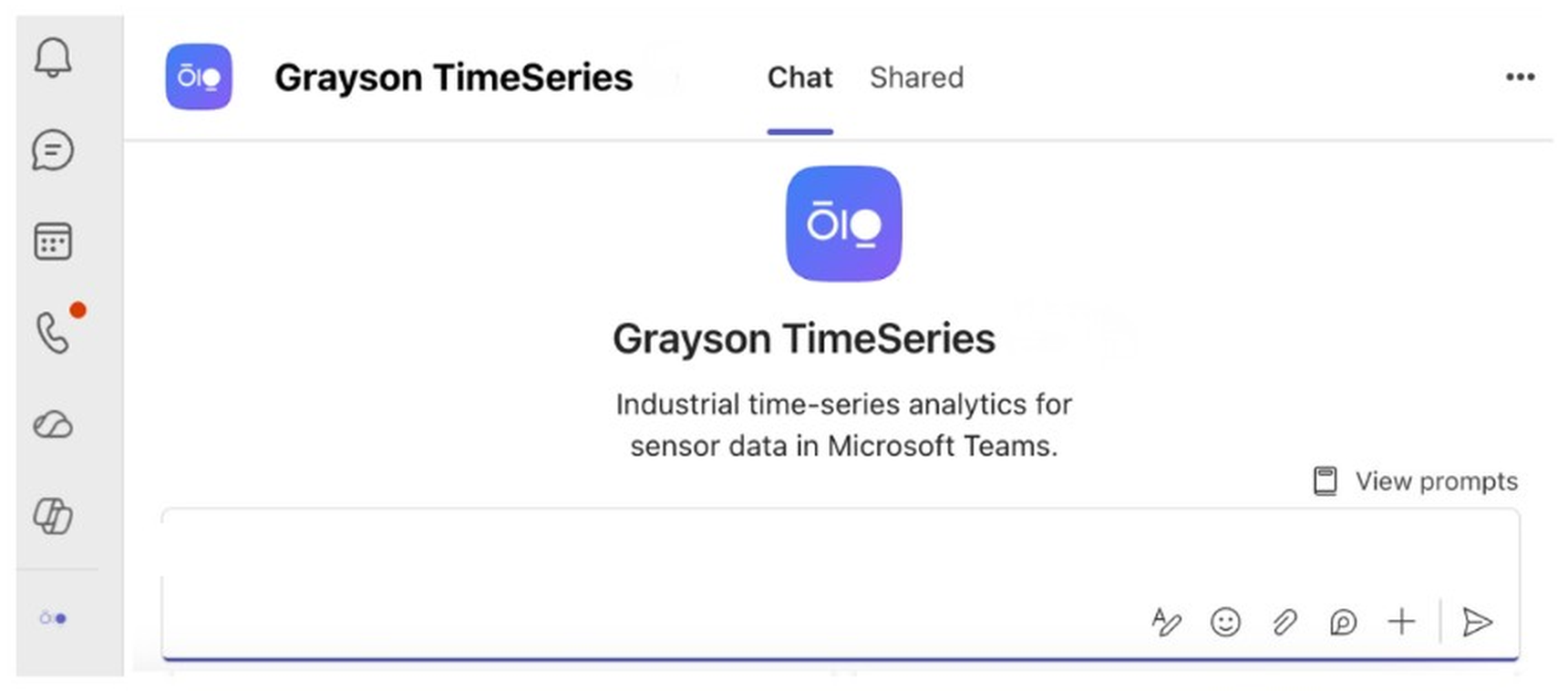
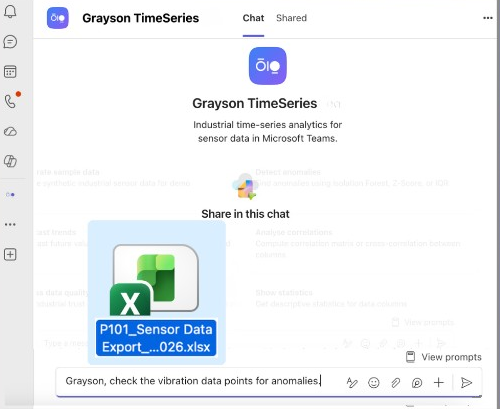
Grayson TimeSeries is a Microsoft Teams app that lets engineers and operators individually chat with their industrial process data for quick insights with a deterministic and auditable AI agent.
Powered by Microsoft Copilot and available in Teams, making it easy to use within your Microsoft 365 ecosystem.
Grayson TimeSeries prepares and validates your process data automatically, detects anomalies, makes forecasts and establishes correlations.
Grayson TimeSeries works as a complementary layer on top of your existing data historian, dashboards, and analytics platforms. It does not replace your current tools.
The intuitive chat interface lets you quickly and independently validate a hunch or pull together answers before a meeting:
without building views in a dashboard,
without needing to code,
without waiting for reports, or
without being limited to what someone pre-configured
 Analyzing…Grayson TimeSeries
Loaded PI101_Sensor Data Export — 8,929 rows across temperature and process tags.
Dataset: 8929 rows, 2025-07-04 → 2025-08-04. Pick a column, an optional time window, and an analysis — results are deterministic.
Deterministic run across Isolation Forest, Z-Score, and IQR.
| Date | Value | Anomaly Score | Severity |
|---|---|---|---|
| 2025-08-24 | 168.2 | 0.92 | High |
| 2025-08-23 | 165.1 | 0.81 | High |
| 2025-08-21 | 161.0 | 0.64 | Medium |
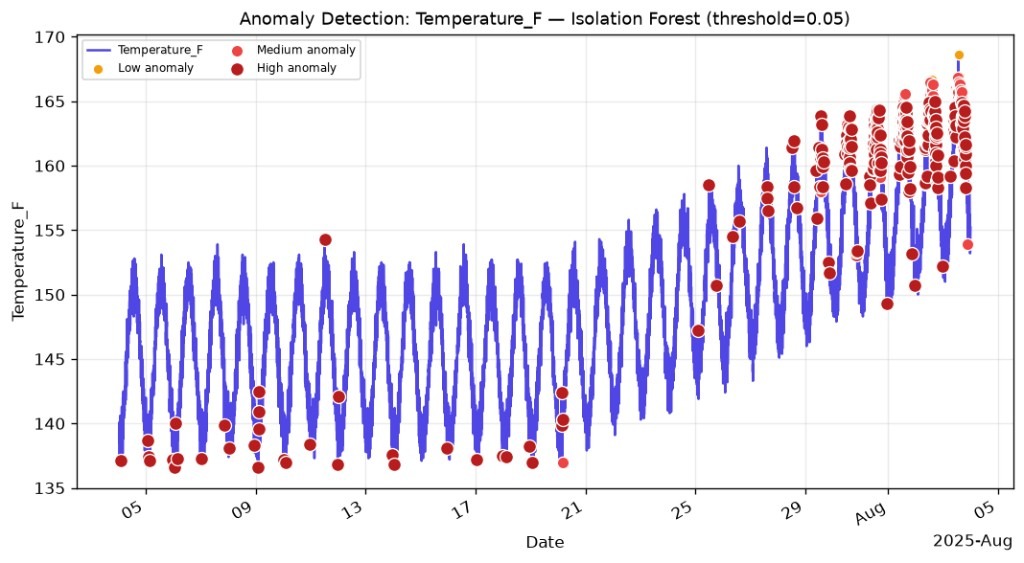
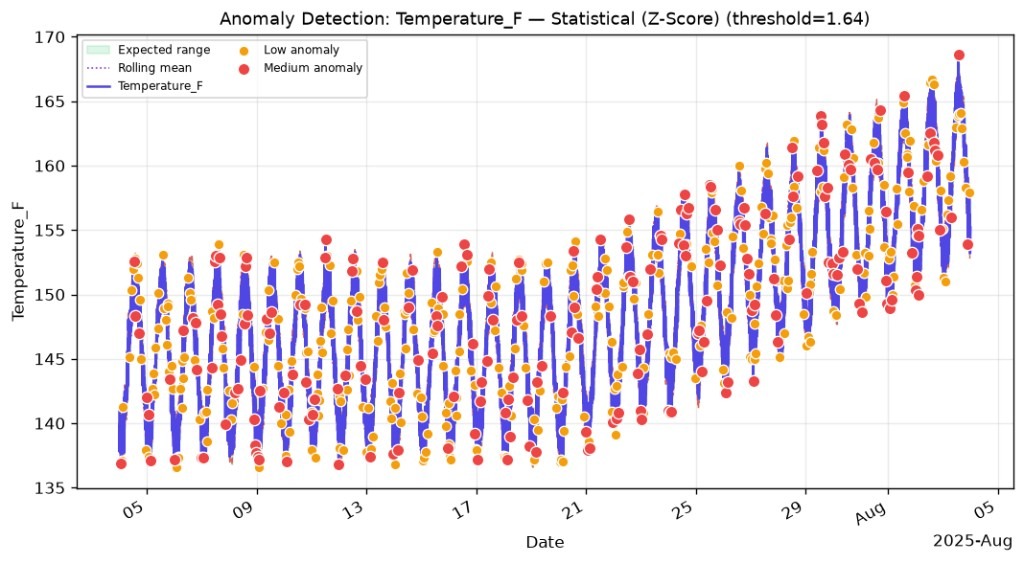
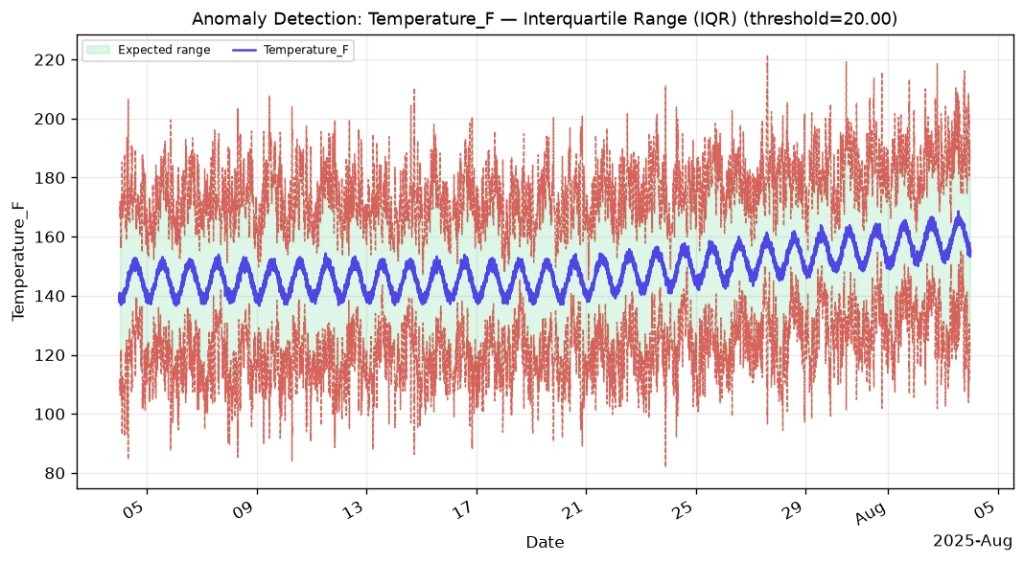
Prompt status: Prompt aligned to product demo still — confirm before public launch.
Whether something feels off or you’re prepping for a meeting, Grayson TimeSeries lets you dig into the data fast so you can solve problems quicker and show up to meetings prepared.
Get answers, quickly, by chatting with your industrial process data inside Microsoft Teams.
Grayson TimeSeries is used by engineers and operators who already sit in historian data. Start with the sector closest to your plant.
Typically, organizations allow users to add Microsoft approved agents on their own.
Leave your name and work email and we will send the install link.